AI contract generator: describe it, review the draft, send it to sign
Chaindoc's AI contract generator sits where your contracts are signed. Tell it the deal in plain words and it writes a first draft you can edit. Unlike a contract generator that stops at the text, it leaves the draft in your workspace, ready for signers, payment terms and an ID check. Already have the contract as a Word file, PDF or scan? Drop it in and it becomes a document you can edit. AI is included on every plan, Free too.
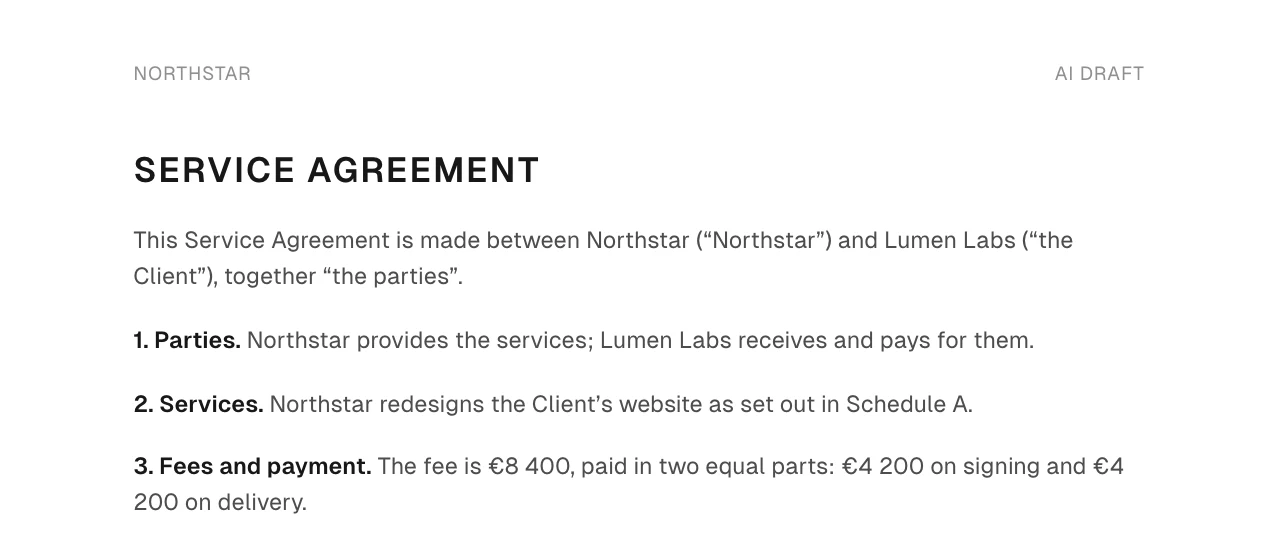
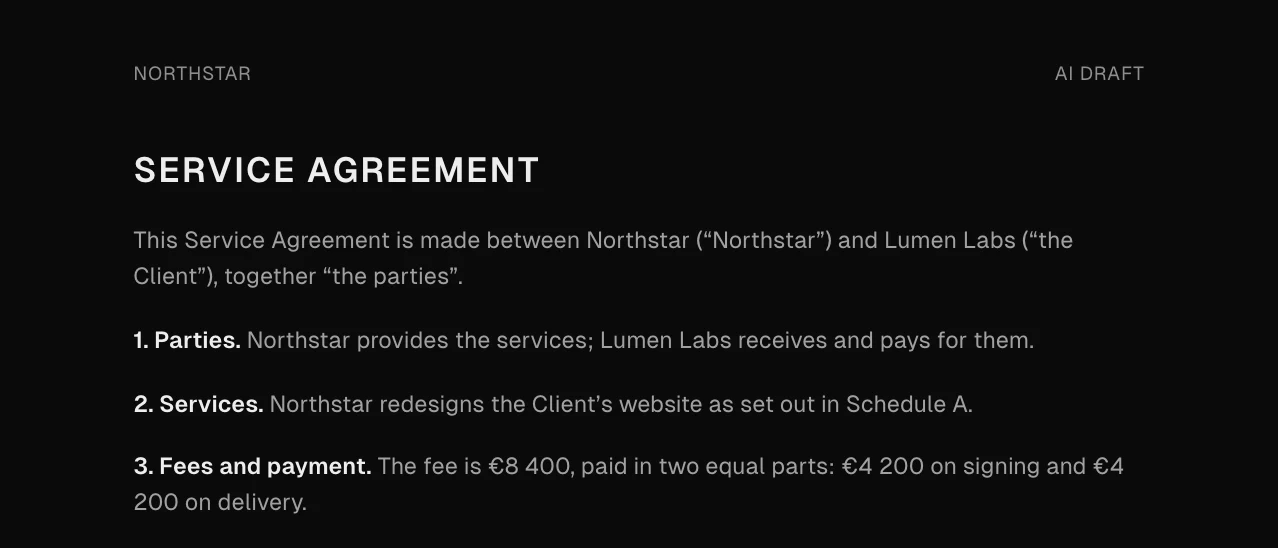


How the AI contract writer turns your words into a draft
AI contract creation starts with what you would tell a colleague: who the parties are, what the work is, the price, the dates, how either side gets out. The AI contract drafting happens on the page in front of you, and you stay the author.
Describe it
Open New document and choose With AI. Write the deal in the Assistant panel, one message is enough.
Read the draft
The first draft appears on the left, marked AI draft. Give it a title on the Document tab when you are happy with it.
Keep or discard each change
Ask for changes in your own words. The assistant shows each one as a change, and nothing is applied until you keep it.
What the draft contains
- 1Parties
- 2Services
- 3Fees and payment
- 4Term
- 5TerminationEither side may end this agreement with 30 days' written notice.Either side may end this agreement with 14 days' written notice.
- 6Confidentiality
- 7Governing law
Clause 1 names both companies. Add addresses and company numbers if your deal needs them.
Clause 2 turns two words into a scope. Check that it says what is and is not included.
Clause 3 splits the fee and dates each half. Check the amounts before anything else.
Clause 5 sets out how either side ends the agreement.
Clause 7 names the governing law. The AI writes the clause; it does not check Irish law for you.
A draft can include clauses you never mentioned. Read them like the rest.
Make the notice period 30 days
Waiting for you. Nothing is applied until you keep it.
An example drawn for this page with the app's own labels. The AI writes its own wording, and yours will differ.
What you check before anyone signs
An AI contract maker or agreement generator gives you a starting point, not advice. A draft written with AI is marked AI draft until you publish it, and details the AI filled in are marked Filled by AI. Read it the way you would read a draft from the other side, line by line, before anyone signs.
You check
- The parties: legal names, the right company, who signs for it.
- Money and dates: every amount, every due date, the start and the end.
- Getting out: notice, termination and what happens to work already done.
- Governing law: the law and the courts you actually want.
- Anything you did not ask for: clauses the draft added on its own.
The AI does not
- Give legal advice or tell you a clause is right for your deal.
- Check the law of your state or country.
- Send, sign or publish anything. You do that.
- Change text you already have on its own. Each change waits for Keep changes.
AI document conversion: your file becomes a document you can edit
Drop a PDF, a Word file or a scan into New document. Chaindoc reads it, writes it out as a document you can edit, then checks the result against the original. Anything it is unsure about is listed next to the text, by how much it matters.
The original
Service agreement.pdf
- page 1Minor
- page 2Critical
- page 3Major
To check


The notes never go into the document and never hold Publish back. A draft with no notes is still a draft: read it before you send it.
- Files
- PDF, Word (DOC, DOCX), OpenDocument text, RTF, TXT, Markdown, and PNG, JPEG or WebP images, such as a scan or a photo of a page.
- Size
- Up to 20 MB and 50 pages a file.
- While it runs
- Once the upload has finished, choose Run in background, close the window and carry on. You get a notification when the draft is ready.
- The original
- Stays in Storage. The document says it was converted from that file and links to it.
- Not converted
- Spreadsheets, presentations and password-locked files. Remove the password and upload again.
Details filled in from the file
While it converts, Chaindoc also reads the file for its details: notes, tags and metadata such as the counterparty, effective date, term and governing law. Each one is marked Filled by AI for you to review, or clear. On the Assistant tab you can ask it to fill in the details from the file again or to summarise it in three lines, and nothing it proposes is applied until you keep it.
The file is in Google Drive? Open it with Chaindoc and it goes through the same conversion. See e-signature integrations.
A converted document gets its text, not its signature fields. You place fields where they belong, then publish.


Turn a contract you already use into a template
Generating your template
- Reading your document
- Drafting the document
- Marking fields and signers
- Saving the draft
PDF to template: fields and signer roles marked for you
In Templates, choose New template and drop a PDF or DOCX up to 20 MB. Answer a few quick questions about it or skip them. The AI drafts the template and marks its fields and signer roles, so colleagues fill in a name and an amount instead of editing last month's copy. It lands in My templates as an AI draft. Check each field and role, ask the assistant for changes and keep or discard what it proposes, then publish. More on how teams use contract templates.
Changes
- FieldsNew field “Client name”
- Signer rolesNew signer role “Client”
Only templates get fields and signer roles from the AI. A document converted from a file gets its text, and you place its fields.
From AI draft to signed contract, in one place
When the draft reads right, publish it. The same workspace sends it for e-signature, sets payment terms and asks signers to verify their identity. You never have to export it or upload it somewhere else.
Each stage is part of the contract management platform the draft already lives in. Payment collection on signing and KYC identity verification work the same way for an AI draft as for any other document.
Signatures
Publish and request signatures opens the signing request
Terms & payments
Publish and add terms sets what is paid and when
ID check before signing
from Pro, signers verify their identity first
Versions
edit the published text and it becomes a new version; the signed one stays as it is
Free AI contract generator credits on every plan
AI is measured in CU, shared by the whole workspace. Each draft, change or conversion uses what it actually costs, so a short NDA usually uses less than a 40-page agreement. There is no fixed price per draft.
| Plan | AI a month | Counted |
|---|---|---|
Free | 2,000 CUfor the workspace | for the workspace |
Pro | 10,000 CUfor the workspace | for the workspace |
Team | 20,000 CUper seat | per seat |
Business | 30,000 CUper seat | per seat |
- Need more every month? Add 10,000 CU a month for €2.
- Prefer to pay as you go? Prepaid credits pay only for AI past your monthly limit and expire 12 months after you buy them.
- If the budget runs out halfway through a conversion, nothing is charged. Once the workspace owner buys credits, Try again converts the same file without uploading it again.
- One AI task runs in a workspace at a time. A conversion waits for the one before it; other AI requests ask you to try again once it has finished.
- The same allowance also creates signatures with AI, in one of six styles, saved to your account. The free signature generator on this site is a separate tool.
- Compare the AI credits on each plan.
Questions about the AI contract generator
What people ask before they let AI write the first draft.
Is a contract from an AI contract generator legally binding?
It can be. A contract is binding when the usual things are there: parties who agree, a clear offer and acceptance, something given by each side, and signatures. Who typed the first draft does not change that. Laws such as ESIGN in the US and eIDAS in the EU accept electronic signatures, and Chaindoc lets you sign documents online with a record of who signed and when. Binding is not the same as right for your deal, so read the draft before you send it. Chaindoc does not give legal advice.
Is it safe to use without a lawyer?
For routine, low-value agreements many people review the draft themselves. For high-value, employment, real-estate or cross-border contracts, a lawyer should read it first. Chaindoc helps you write and send the contract; it is not a legal service. Before you send any draft, go through the checks on this page: the parties, money and dates, getting out, governing law, and clauses you did not ask for.
What should I tell the AI to get a usable draft?
Name the parties, what is being delivered, the price and when it is paid, the start date and term, how either side can end it, and the governing law. One clear paragraph usually beats a list of keywords. If something is missing, ask for it as a change afterwards, and keep it only once it reads right.
Can the AI write a contract for my state or country?
It can write a governing-law clause for the place you name, but it does not check that place's law. Rules on notice, consumer rights, employment or property differ by country and sometimes by state. Name the jurisdiction in your description, and have a lawyer there review any contract that matters.
Can I upload my existing Word or PDF contract and edit it?
Yes. Drop a PDF, Word file, OpenDocument text, RTF, TXT, Markdown file or a PNG, JPEG or WebP image into New document, up to 20 MB and 50 pages. It becomes a document you can edit, and the original stays in Storage. If the converter is unsure about anything, it lists it under To check, in English, next to the text. Spreadsheets, presentations and password-locked files are not converted.
Can I turn a contract I already use into a template with fill-in fields?
Yes. Drop the PDF or DOCX into New template. The AI drafts the template and marks its fields and signer roles, and it lands in My templates as an AI draft for you to check and publish. See how teams work with contract templates.
Is the AI contract generator free?
Yes, AI is included on every plan. Free gets 2,000 CU a month for the workspace; Pro 10,000; Team 20,000 and Business 30,000 per seat. What a draft uses depends on its length and your changes, so there is no fixed price per draft. You can add 10,000 CU a month for €2 or buy prepaid credits. Details are on the AI credits on each plan page.
Is my contract text used to train the AI?
No. Chaindoc does not use your documents to train public or third-party AI models.