Law firm document management on a phone: what the rules allow, and what still needs a desk
Law firm document management from a phone: which client documents you can sign on mobile, what ABA Opinions 477R and 498 expect, and what still needs a desk.

Sign a document and check the record yourself.
Start nowWhat law firm document management covers when the office is a phone
Law firm document management is everything a practice does with a client's paper between the first call and the closed file: the intake form, the engagement letter, drafts and their versions, the signed originals, court filings, and the retention schedule that decides when it all goes. On a phone, most of that shrinks to three jobs. You read, you approve, and you sign or get something signed. The rest still wants a keyboard, and that's fine.
Ask a vendor what legal document management is and you'll hear about matter-centric folders, version control, full-text search and filing email to the right matter. Those features live in a document management system (DMS) or in the document module of a practice management suite, and the big ones have phone apps. Clio's iPhone app lets lawyers review, share or scan documents; MyCase says its app runs on Android and iOS and opens case files from the phone.
So the straight answer to "what do law firms use for document management?" is usually two or three tools, each holding a different part of the record, with the phone as a window onto all of them. Signing, filing with a court and notarizing are separate jobs with separate rules.
What the phone changes is the risk, not the law. The ethics rules don't care which screen you used. They care whether you took reasonable steps to keep client information away from people who shouldn't see it. Chaindoc covers one slice of that, the signing leg, and it runs in a phone's browser with nothing to install.
Legal document management software, practice suites and e-signature: who holds what
Buying guides use "legal document management software" and "legal document management system" for the same thing: a repository organized around clients and matters, with versions, search and retention rules. Practice management suites bolt a lighter document module onto calendars, time and billing. An in-house legal document management system leans toward contracts and the business teams who request them. None of them is the court's filing system, and none of them replaces a signature record.
Here's how law firm document management splits once half the firm works from phones.
Who holds which part of the client record
Typical roles. Products overlap, so check what yours actually does.
| Tool | What it holds | What a phone is good for | What it isn't |
|---|---|---|---|
Document management system (DMS) | Matter files, versions, filed email, retention rules | Finding and reading a document, approving a draft | Proof of who signed what and when, unless it's paired with a signing tool |
Practice management suite | Contacts, matters, deadlines, time, billing, a document module | Checking a deadline, logging time, reading a file | A full DMS for firms with heavy email and version control needs |
E-signature tool | The document as sent, the signatures, the audit trail | Sending a letter for signature; the client signing from a link | The matter file, a conflicts database, a court filing route |
Court e-filing system | The filed document and the court's own record | Checking a docket | A place for client signatures: your filing account is your signature |
Law firm documents by type: which ones can be signed on a phone
In the US and in England and Wales, most of what a client signs can be signed electronically, and the device doesn't change that. The exceptions are narrow, and they're exactly the documents people try to push through on a phone at the end of a long day: wills, powers of attorney and anything headed for a court.
The table below is a working map for law firm document management, not legal advice for a given state. A "yes" means the law doesn't stand in the way; your insurer or the client's own policies still might.
Client documents and the rule that decides
US rules unless noted. State law can be stricter than the ABA Model Rules.
| Document | On a phone? | What decides it | Watch for |
|---|---|---|---|
Engagement letter, hourly fee agreement | Yes | ABA Model Rule 1.5(b): fee basis communicated, "preferably in writing"; some states require a writing (California, Bus. & Prof. Code 6148, above $1,000) | Where required, the client gets a copy signed by both sides |
Contingency fee agreement | Yes | ABA Model Rule 1.5(c): a writing signed by the client | How the fee and the expenses are calculated must be in the agreement itself |
Client intake form | Yes, as a form | ABA Model Rule 1.18: a prospective client's information is protected even if you never take the case | Where the answers are stored and which staff can read them |
Settlement agreement, NDA, release | Usually | ESIGN Act and the state's version of UETA | Settlements that need court approval follow the court's route |
Power of attorney | Sometimes | The state statute that creates it; in England and Wales, the lasting power of attorney rules | Notarization or witnessing the statute may require |
Will, codicil, testamentary trust | Not under ESIGN | 15 U.S.C. 7003(a) leaves them to state wills law | Your state's execution rules, which ESIGN doesn't touch |
Court filing | Through the court's own system | Fed. R. Civ. P. 5(d)(3)(C): your e-filing account plus your name on the signature block | Local rules on filing other people's signatures |
ESIGN's carve-outs are the ones lawyers trip over
15 U.S.C. 7003 takes wills, codicils and testamentary trusts, adoption, divorce and other family-law matters, and court orders, notices and official court documents out of the ESIGN Act. That doesn't make an electronically signed version automatically void. It means ESIGN won't rescue it, and the specific statute or court rule decides. Check that rule before a client signs one of these on a phone.
Engagement letters and fee agreements from a phone
The law firm engagement letter is the document most likely to be signed on a phone, usually by a client who's just left your office or never came in at all. That's fine. A letter signed in a parking lot binds as well as one signed at your desk, provided the client could read it and you can show who signed.
What the rules ask the letter to contain
ABA Model Rule 1.5(b) says the scope of the representation and the basis or rate of the fee "shall be communicated to the client, preferably in writing". It doesn't demand a signature. Rule 1.5(c) does, for contingency fees: the agreement "shall be in a writing signed by the client" and must state how the fee is worked out and which expenses come off the recovery.
States go further. California's Business and Professions Code 6148 requires a written contract when total expense to the client will foreseeably exceed $1,000, and the attorney has to give the client a duplicate signed by both. In England and Wales, paragraph 8.7 of the SRA Code of Conduct asks solicitors to give clients the best possible information about pricing at the time of engagement, and that's what the client care letter is for.
Templates and the phone screen
An engagement letter template saves time, but the e-signature step doesn't repair a letter that leaves out the fee basis or the scope. Check the template against your state's rule once a year. Then think about the screen. A twelve-page letter on a phone gets scrolled, not read. Honestly, a one-page summary of scope, fees and termination on top, with the full terms below, protects you better than any signature technology.
The signing itself is the easy part, and what each phone signing method proves differs more than most firms assume. A drawn signature in a PDF app proves very little; a signing link with an audit trail proves a lot more.
Client intake forms and the prospective-client rule
A client intake form for a law firm feels like admin. Rule 1.18 says otherwise: even when no client-lawyer relationship follows, a lawyer who learned information from a prospective client can't use or reveal it except as the former-client rule allows. A web form a prospect fills in on a phone is that information. Decide where the answers land, who on staff reads them and how long you keep the ones that never became clients. And run the conflict check before the engagement letter goes out, not after it comes back signed.
What ABA Formal Opinions 477R and 498 expect of a lawyer's phone
Two Model Rules frame everything here. Comment 8 to Rule 1.1 asks lawyers to keep up with "the benefits and risks associated with relevant technology". Rule 1.6(c) asks for "reasonable efforts to prevent the inadvertent or unauthorized disclosure of, or unauthorized access to, information relating to the representation of a client". Neither one mentions phones. The ABA's ethics committee filled that gap in two opinions.
ABA Formal Opinion 477R (2017)
Formal Opinion 477R says a lawyer may generally send client information over the internet if they've made reasonable efforts to prevent unauthorized access. It also says special precautions can be required when the client asks for them, when the law does, or when the information is sensitive enough to need more. What counts as reasonable isn't a fixed list. It depends on the sensitivity of the information, the likelihood of disclosure, the cost and difficulty of extra safeguards, and how much those safeguards would get in the way of the work.
ABA Formal Opinion 498 (2021)
Formal Opinion 498 on virtual practice is the one that reads like a phone policy. If lawyers or staff use their own devices for client information, the firm's bring-your-own-device policy must make sure that:
- security is tight: strong passwords on the device and the home router, access through a VPN, updates installed, training on phishing
- a lost or stolen device can be wiped remotely
- client information can't be reached by staff members' families or anyone else using the device
- client information is archived properly and can be retrieved later
The same opinion asks lawyers to switch off the listening features of smart speakers and virtual assistants while discussing client matters, unless the tool is actually helping with the work. It also recommends a "clean screen" habit, which matters most on a phone that gets read over shoulders on trains.
What this means for law firm document management
Most of it comes down to settings, not purchases. Turn on device encryption and a strong passcode, enable remote wipe, keep client apps out of shared profiles, and make sure the firm can reach the archive when a phone dies. One caveat: ABA opinions guide, but your state bar's rules and opinions are what bind you, so read them before you write the policy.
The family tablet is the risk Opinion 498 names
Client documents on a tablet the kids also use fail the opinion's own test: client information mustn't be reachable by family members or others. The same goes for a personal phone with a shared photo library that syncs scanned client papers to a family account. If a device can't be locked down or wiped remotely, keep client files off it and sign from a work profile or a firm device instead.
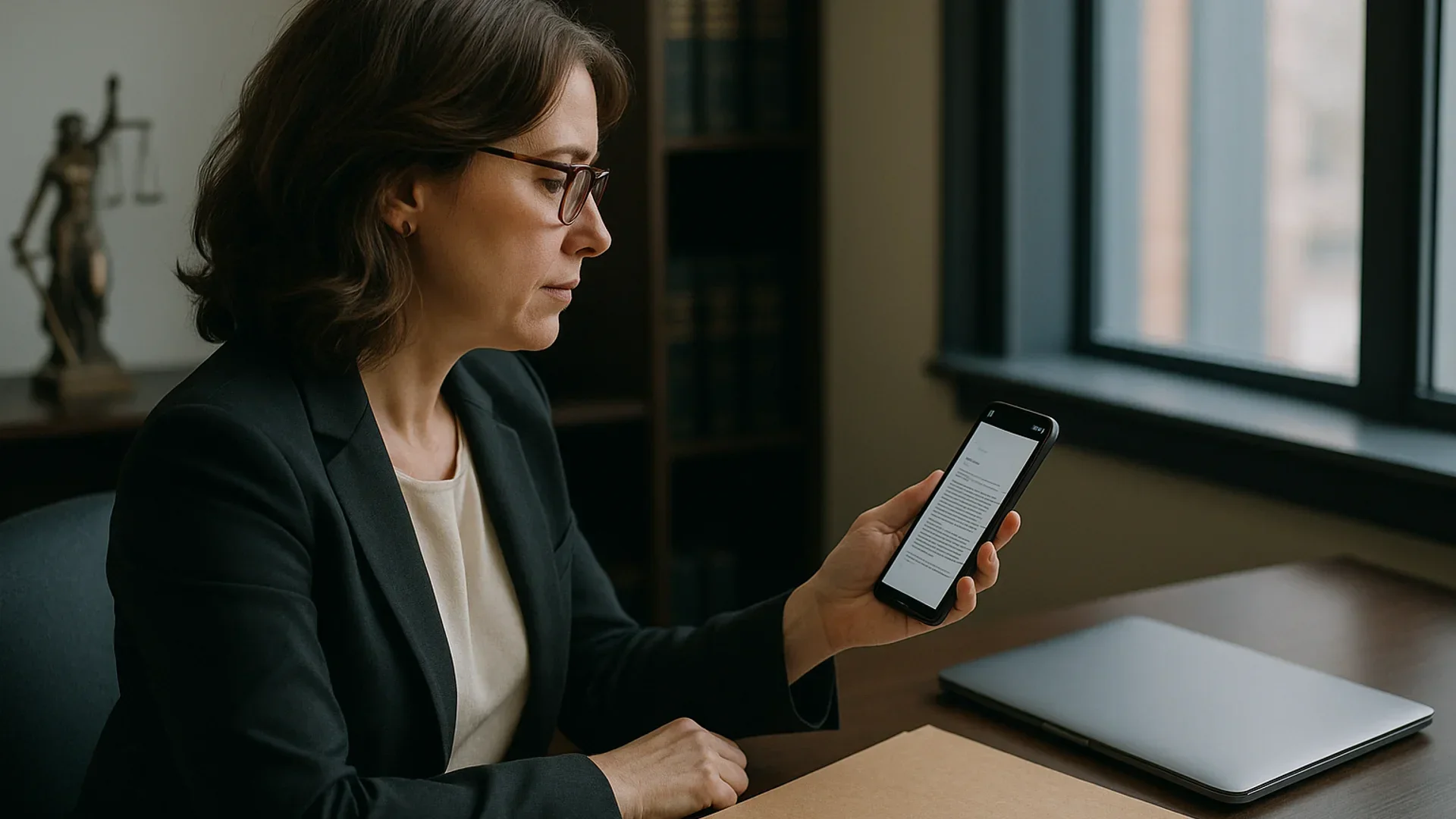
Reading and approving on a phone is the easy part; the rules care about who else can reach the device.
Send the engagement letter, keep the evidence
Upload the PDF, add your client as a signer and let them sign from a link in their phone's browser. You keep the signed copy with its audit trail and on-chain record.
Send a document for signatureSolicitors in England and Wales: confidentiality and signatures
The SRA Code of Conduct puts the duty in one sentence. Paragraph 6.3: "You keep the affairs of current and former clients confidential unless disclosure is required or permitted by law or the client consents." It doesn't mention devices, cloud storage or apps, and it doesn't need to. The duty follows the information wherever it goes, so a client file opened on a phone on a train is held to the same standard as one in a locked cabinet.
On signatures, the Law Commission's 2019 report on electronic execution settled the question most solicitors were asking. Its conclusion was that an electronic signature is capable in law of being used to execute a document, including a deed, as long as the signer intends to authenticate it and any formalities the law requires are met. Those formalities are the catch. Where a document needs a witness, the e-signature doesn't remove the witness, and a phone doesn't make witnessing any easier.
Court e-filing and remote notarization: what a signing app doesn't do
Court filings run on the court's own system, and in federal court the system is the signature. Federal Rule of Civil Procedure 5(d)(3)(C) says a filing made through a person's electronic-filing account and authorized by that person, together with that person's name on a signature block, constitutes the person's signature. State courts run their own portals under their own rules. Either way, a signature captured in a third-party app isn't how a lawyer signs a filing, and ESIGN itself leaves court orders, notices and official court documents out of its scope.
Notarization is the other line a signing app can't cross. The Uniform Law Commission added a remote-notarization section, 14A, to the Revised Uniform Law on Notarial Acts in 2018, letting a notary commissioned in an adopting state perform a notarial act for someone who appears by audio-video link. Whether your client can use it depends on that state's law and on the notary. An e-signature audit trail, however detailed, isn't a notarial act. Wills sit in the same place: the state's execution rules decide, and that's where the paper and the ink still earn their keep.
Document management for small law firms and in-house legal teams
Document management for small law firms has one advantage: fewer people, fewer phones. It also has a weakness. The lawyer is often the IT department, so the policy Opinion 498 asks for never gets written. Write it anyway. One page is enough: which devices may hold client files, what has to be switched on, who to call when a phone goes missing.
ABA Model Rule 5.3 puts the supervision part on the lawyers with managerial authority, who must make reasonable efforts to ensure the firm has measures giving reasonable assurance that its nonlawyers' conduct is compatible with the lawyers' professional obligations. In practice that means paralegals and assistants who chase signatures from their phones get only the access their job needs.
An in-house legal team has the same problem at a different scale. Requests come from sales and procurement, signers sit across the business, and an in house legal document management system has to keep the signed contract tied to the request that started it.
In Chaindoc, roles and shared workspaces cover this split: four built-in roles (Owner, Admin, Member and Accounter) plus custom ones, and personal and shared workspaces so a matter's documents stay with the people on it. Team management is on the Team and Business plans; a set signing order through approval routes is a Business-plan feature. For what the record shows afterwards, see what an audit trail records.
Here's a simple way to split access, whichever tools you use.
Who on the team needs what
A starting point, not a rule. Adjust per matter.
| Person | Typical access | What they do on a phone |
|---|---|---|
Partner or general counsel | All of their matters; approves and signs | Approves drafts, signs, checks what's still out |
Associate or in-house counsel | Their own matters; prepares and sends for signature | Sends documents, answers signers' questions |
Paralegal or legal assistant | Prepares documents and tracks signatures; no signing authority | Chases signatures, checks who has signed |
Bookkeeper or finance | Billing records, not case files | Rarely more than invoice and payment status |
Where Chaindoc fits in law firm document management
Chaindoc isn't a DMS, a practice management suite or a court filing route. It's the signing leg: you upload the engagement letter, NDA or settlement as a PDF, add the signers, and they sign from a link on whatever phone they have. The native iOS and Android apps are in development and not in the stores yet, so today the phone experience is the responsive web app in the browser.
A few facts for your own Opinion 477R analysis, stated plainly because they're exactly what a reasonable-efforts review needs:
- Files travel over TLS. Chaindoc's servers read each file to scan it, hash it and sign it, so it isn't end-to-end encrypted; users' private signing keys are encrypted with AES-256.
- On upload, the server hashes the file. When you publish the document, that version's hash is written to a blockchain, and each signer's proof is recorded when they complete. The document itself and the signers' identities don't go on chain.
- The company holds ISO 27001 and ISO 9001 certifications.
- An identity check before signing is optional, through KYC verification, for documents where you need to know who's on the other end.
Searches like "docusign for lawyers" or "clio mobile app" usually come from firms that already run one of those tools, and that's fine. None of the rules above names a vendor; they ask the same questions of whichever tool you use. For the signature law itself, here are ESIGN, eIDAS and UK rules side by side.
If you take one thing from this: keep law firm document management in the DMS, keep signing in a tool that proves who signed what, and write down which phones may touch either.
Put the signing method in the letter
Add one line to your engagement letter template saying the client will sign electronically, will receive a copy signed by both sides, and can ask for paper instead. It costs nothing, it answers the question before the client asks it, and in states like California it lines up with the duplicate-copy rule you already have to meet.
Sources checked for this guide
We read each page on 14 October 2026. Rules and statutes link to the bar, the court or an official legal text.
- 1.ABA Model Rule 1.1, Comment 8 · American Bar AssociationCompetence includes the benefits and risks of relevant technology.
- 2.ABA Model Rule 1.6, Confidentiality of information · American Bar AssociationParagraph (c): reasonable efforts against inadvertent or unauthorized disclosure or access.
- 3.ABA Model Rule 1.5, Fees · American Bar Association(b) fee basis communicated, preferably in writing; (c) contingency fee in a writing signed by the client.
- 4.ABA Model Rule 1.18, Duties to prospective client · American Bar AssociationParagraph (b): information from a prospective client is protected even when no relationship follows.
- 5.ABA Formal Opinion 477R, Securing communication of protected client information (2017) · ABA Standing Committee on Ethics and Professional ResponsibilityReasonable efforts when sending client information online; special precautions for sensitive matters.
- 6.ABA Formal Opinion 498, Virtual practice (2021) · ABA Standing Committee on Ethics and Professional ResponsibilityBring-your-own-device policy, remote wipe, family access, archiving, listening devices.
- 7.15 U.S. Code 7003, Specific exceptions · Cornell Legal Information InstituteESIGN does not cover wills, family-law matters or official court documents.
- 8.Federal Rule of Civil Procedure 5 · Cornell Legal Information InstituteRule 5(d)(3)(C): a filing through a person's e-filing account with their name on the signature block is their signature.
- 9.California Business and Professions Code 6148 · California Legislative InformationWritten fee contract when costs will exceed $1,000; client receives a duplicate signed by both.
- 10.Revised Uniform Law on Notarial Acts (2018) · Uniform Law CommissionThe 2018 amendments added section 14A on remote notarization.
- 11.SRA Code of Conduct for Solicitors, RELs, RFLs and RSLs · Solicitors Regulation AuthorityParagraph 6.3 confidentiality; paragraph 8.7 pricing information at engagement.
- 12.Electronic execution of documents (2019) · Law Commission of England and WalesAn electronic signature is capable in law of executing a document, including a deed.
Frequently Asked Questions
Answers to popular questions about Chaindoc and secure document workflows.
It's how a law practice stores, organizes and controls client documents across their life: intake, drafts and versions, signed originals, filings and retention. Most firms do it in a document management system or the document module of a practice management suite, organized by client and matter. Signing and court filing usually happen in separate tools that feed the same file.
Usually a mix: a DMS or a practice management suite for the matter file, an e-signature tool for client signatures with an audit trail, and the court's own e-filing system for filings. Small firms often run one practice suite and add signing on top. Larger firms and in-house teams tend to keep a separate DMS.
Yes. Nothing in the ABA Model Rules or the ESIGN Act cares about the device. What matters is that the letter contains what your state requires, that the client could actually read it, and that you can show who signed and when. Contingency agreements need the client's signature under Rule 1.5(c), and California requires both sides to sign above $1,000.
Not across the board. The opinion says lawyers may generally send client information over the internet after reasonable efforts to prevent unauthorized access, and that stronger measures, encryption included, can be required when the client asks, when the law requires them or when the information is especially sensitive. It's a judgement per matter, not a fixed checklist, and your state's own opinions may say more.
Yes. The ethics rules don't approve or ban vendors; they ask whether you made reasonable efforts to protect client information and whether you checked the service you rely on. Check how the tool handles data, who at the vendor can reach it and what evidence a signature leaves behind. Then document that review once, so you don't redo it for every matter.
More e-signature and blockchain guides
Practical guides on electronic signatures, blockchain audit trails, and secure document management — handpicked to build on what you just read.