How document management works, and how to set it up in 90 days
Document management explained: what it covers, the US rules for keeping electronic records, how to choose a system, and a 90-day plan to set one up.

Sign a document and check the record yourself.
Start nowWhat document management actually covers
A new employee needs the signed offer letter, an auditor asks for last year's invoices, and a customer disputes a clause in a contract nobody can locate. Three requests, one underlying problem: nobody set up document management before the documents arrived.
Document management is the set of rules and software that decides where a document lives, who may change it, which copy counts as the real one, and when it gets destroyed. AIIM, the information management association, calls it the use of a computer system and software to store, manage and track electronic documents and electronic images of paper records. That definition is accurate as far as it goes, and it stops before the parts that hurt: permissions, retention, proof and the moment of deletion. Type "what is document management" into a search box and most of what comes back is a vendor describing its own product.
Two neighboring terms get used loosely. Records management is the governance discipline behind ISO 15489, and it sorts documents by evidential value and legal obligation rather than by convenience. Enterprise content management, or ECM, is the software category that absorbed document management as file volumes grew.
Contracts are the sub-case most companies feel first, and they carry their own contract management process on top.
What poor document management costs
The first cost is time, and it's the one nobody books. McKinsey Global Institute's 2012 study The social economy measured how interaction workers spend a week and put searching for and gathering information at 19% of it. In a 35-hour week that is a little over an hour a day.
You will see the same research quoted as "1.8 hours a day searching for documents". That number is not in the report. It surfaced in a vendor blog a year later and has traveled on McKinsey's name ever since. The real figure is smaller and still expensive: about an hour a day, per person, spent looking for things.
Cost number two arrives in bursts. An auditor, a lawyer or a regulator asks for one specific document inside a deadline, and the answer depends on whether anyone captured it in the first place. Our guide to audit trails covers what that evidence has to contain.
Paper itself is fading. Office paper in the American waste stream fell from 7.42 million tons in 2000 to 3.97 million in 2018, according to the EPA. The filing cabinet simply moved onto a shared drive, keeping its worst habit: nobody labels anything.
Where the average work week goes
McKinsey Global Institute, The social economy (2012), from combined IDC and McKinsey analysis of interaction workers. Read the first bar in hours before you quote it: 19% of a 35-hour week is a little over an hour a day, not the 1.8 hours a day this report is constantly credited with.
Hunting for a file, or for the colleague who has it. This is the share document management can actually move.
The largest single block, and still where most small companies route documents for review and approval.
Meetings, calls and messages about work already in progress.
What is left over for the work the person was hired to do.
One 2012 study of interaction workers, so read the four shares as proportions rather than as this year's measurement.
The document lifecycle, stage by stage, and where each one breaks
| Stage | Who owns it | What it needs | Where it typically fails |
|---|---|---|---|
Creation | Whoever needs the document | An approved template, not last month's file | A copy started from the previous deal, carrying terms nobody re-read |
Review and approval | Whoever carries the risk: finance, legal, the manager | Comments on the file itself, not a mail thread | offer_letter_final_v3_REAL.docx, three copies in three inboxes |
Signature | The named signatory | One signing channel, with identity attached | The executed copy lands in an inbox instead of the repository |
Storage | The document owner named in the rules | One system of record, with metadata fields | Filed by person rather than by document type, so it leaves when they do |
Retrieval | Anyone who asks, auditors included | Full-text search that reaches inside PDFs | Unindexed scans: the file plainly exists, no search can reach it |
Destruction | Whoever authorizes disposal | A retention date attached to the document type | Nobody owns the calendar, so nothing is ever destroyed |
The document lifecycle, from draft to destruction
Every document walks the road in the table above. Most setups handle the middle and fall over at both ends.
Creation and review is where document version control earns its keep. Real version control keeps one file with a history behind it, so there is always a current version and a record of who changed what. A naming convention is not a substitute for that; it is the symptom of not having it.
Signature is the hinge. From that moment the file is a record, and editing it stops being a correction and becomes a problem. Running it through electronic signature instead of print, scan and email keeps the signer's identity and the timestamp attached to the document itself.
The two ends carry the cost. Storage rules only work if you set them before the files arrive, and destruction has a legal deadline on both sides of it.
Setting up document management, step by step
Five steps in the order that works for a company with no IT department. Each one ends in something you can point at, because a step that leaves no artifact behind gets quietly dropped.
Count the locations, then close all but one
Spend a day listing every place documents currently live: laptops, two cloud drives, an email archive, a filing cabinet, the accountant's portal. You are counting locations, not files, and most small companies find five or six. At least one belongs to somebody who left two years ago. Then choose a single system of record and set the date after which everything else goes read-only. A second location is not a backup, it is a second answer to the question of which version is current.
Name documents so a stranger can find them
Agree on a naming pattern and a short list of document types before anyone uploads anything: type, counterparty, date, in that order. Leave version numbers out of filenames, since the system tracks those and a filename that carries them will disagree with the system inside a month. The test is whether a new hire on their second day can find last year's insurance policy without asking a soul. If they have to ask, the pattern is documentation of your own memory rather than a rule.
Decide who sees what, by role
Grant access by role rather than by person, so a resignation doesn't orphan a folder and a promotion doesn't need six separate grants. Payroll, contracts and board papers each need a narrower circle than the general drive, and those three are worth setting up before the migration rather than after it. Here is how role-based access works day to day. Retrofitting permissions onto a populated drive is the point where these projects usually stall.
Make one version authoritative, and sign it in one place
Turn on version history and stop attaching documents to email for review; comments belong on the file rather than in twelve replies. When something is approved, mark it, and make that approved state visible from the file list instead of from the memory of whoever approved it. Then pick one signing method and use it for everything, so the executed copy always lands in the same place with the same evidence attached. Costs are on the pricing page.
Attach a retention clock, then book the review
Give every document type a period and a trigger: three years from the filing date, one year after termination, thirty years from creation. Write them into the same table as the naming rules, so the two decisions stay together. The US periods with their citations are in document retention periods. Then put a date in the calendar six months out to check what actually happened, and give that review a named owner. A setup with nobody responsible for it decays back into a shared drive inside a year.
A billion dollars for messages nobody kept
In September 2022 the SEC penalized sixteen financial firms more than $1.1 billion in a single action. Nothing had been mis-sold. Staff had run business conversations through personal phones and messaging apps, and the firms could not produce those records when the regulator asked. Most businesses will never fall under SEC rules, but the mechanism travels: a record nobody captured can't be produced two years later.
What US law asks of an electronic record
Federal law settled the basic question long ago. Under the ESIGN Act, 15 U.S.C. § 7001(a), a record cannot be denied legal effect only because it is electronic.
The retention rule is the part people miss. Section 7001(d) says an electronic record satisfies a legal retention requirement on two conditions: it accurately reflects the information in the original, and it remains accessible to everyone entitled to see it, for the whole period the law requires, in a form capable of accurate reproduction. UETA § 12, adopted in 49 states, applies the same test and expressly allows a third party to hold the records for you. New York runs its own equivalent instead.
Read that as an engineering requirement. A folder of unindexed scans on a drive nobody backs up satisfies neither condition, whatever the file extension says.
Retention periods themselves come from whichever agency regulates the record. IRS Publication 583 asks three years for ordinary supporting records, six if income was underreported by more than 25%, and seven only for a worthless-securities or bad-debt claim, with no limit if a return was fraudulent or never filed. FLSA payroll records run three years under 29 CFR § 516.5 and their supporting records two under § 516.6. OSHA is the outlier: 29 CFR § 1910.1020 sets thirty years for employee exposure records, and employment plus thirty for medical ones.
You'll find the full table, with the citation behind every period, in document retention periods. State privacy law pushes the other way. California's CCPA lets residents ask a business to delete personal information it collected, with exemptions for records the law requires you to keep. Keeping everything forever collides with that the first time somebody asks.
Which agreements must be in writing at all is a separate question, and it turns on the type of contract.
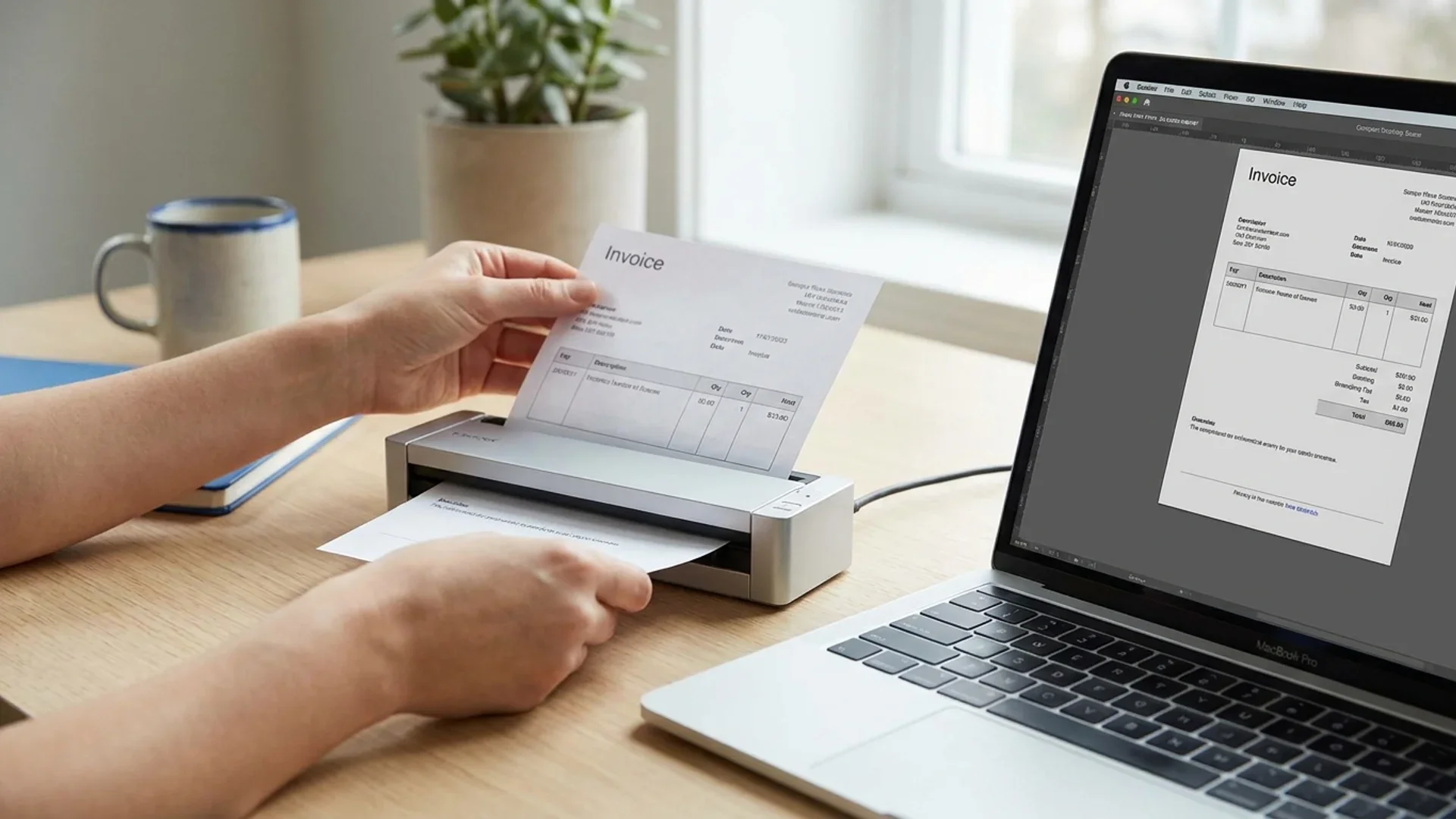
Search, versions and permissions are the three things a folder tree can't give you.
Choosing a document management system
Systems come in four tiers, and most companies climb them in order rather than choosing once.
Folders on a laptop or a shared drive cost nothing and work until the second person joins. A cloud drive such as Google Drive, SharePoint or Dropbox adds version history, full-text search and sharing links, which is honestly enough for a lot of small companies. A dedicated document management system, a DMS in the trade, adds metadata fields, retention rules, check-in and check-out, and an audit trail per file. A document platform goes further and keeps the signature, the identity check and the evidence inside the same record as the file.
Searching for document management software for small business turns up ranked lists written by the vendors being ranked, so treat the order as advertising and the criteria as the useful part. Five things decide whether a system holds up: full-text search that reaches inside PDFs, version control users can't bypass, permissions by role, an audit trail you can export, and a retention field on every document type.
If contracts are the reason you started shopping, contract management is the narrower and cheaper place to begin.
Four ways to store business documents, compared
| Approach | Search | Versions | Access rights | Signing | Audit trail | Retention |
|---|---|---|---|---|---|---|
Folders on a shared drive | Filenames only | Manual, kept in the filename | Per folder, goes stale fast | A separate tool | None | Nobody's job |
Cloud drive (Drive, SharePoint, Dropbox) | Full text, including PDFs | Automatic history | Per file or folder, by person | A separate tool | Access log, awkward to export | Manual reminders |
Dedicated document management system | Full text plus metadata fields | Enforced, with check-in and check-out | By role, inherited | Usually an add-on | Per document, exportable | Rules per document type |
Document platform with signing built in | Full text plus document status | The executed file is the record | By role, per workspace | Native, with identity checks | Tamper-evident per document | Tied to the record itself |
Where document management goes wrong
Seven patterns account for most of the damage.
- A folder per person instead of a folder per document type. Personal folders are private filing systems, and they leave with the person.
- Versions in the filename. That's how proposal_v4_final_FINAL2.docx ends up in circulation, with nobody able to say which copy went to the customer.
- Everyone can see everything. Convenient on day one, awkward the first time you handle a salary review or a term sheet.
- Email doing duty as the archive. An inbox is searchable by exactly one person, and it walks out of the building with them.
- Scanning without indexing. A scan no search can reach fails the accessibility half of § 7001(d), even though the file plainly exists.
- A blanket seven-year rule. Wrong in both directions, and expensive in one of them.
- No destruction step. Keeping everything forever is a data-protection problem and a discovery problem at once, and it is the default whenever nobody owns the calendar.
The seven-year rule that doesn't exist
There is no general American rule that business records must be kept for seven years. The IRS period for ordinary records is three years. Seven applies only to a claim for worthless securities or a bad debt. The other seven belongs to SEC Regulation S-X Rule 2-06 and binds auditors of public companies rather than their clients. Apply the flat rule anyway and you will shred OSHA exposure records twenty-three years early while paying to store invoices you were free to destroy.
Your first 90 days of document management
By day 30 you should be able to name every place a document currently lives, which one of them wins, and the ten to fifteen document types you actually produce. For each type, note who creates it, who approves it, who may read it, and how long it has to survive. That table is the whole project. Everything after it is execution.
By day 60 the active documents have moved. Migrate them under the new naming rules, and set permissions by role before the migration rather than after it, because retrofitting access rules to a populated drive is where these projects stall. Turn the old locations read-only on a published date, and announce that date twice, since nobody reads the first announcement.
By day 90 the automation is running and you have tested it. Signing goes through one channel, retention dates sit against each document type, and you have run the drill: ask a colleague to produce one named invoice, one signed contract and one personnel record inside ten minutes, with no help from you. Whatever they cannot find is your remaining backlog, and it is a much shorter list than the one you started with.
Documents that stay findable after they are signed
Keep the signed file, the identity check and the audit trail inside one record instead of spread across three systems.
Explore contract managementWhat to do at your size
Under ten people, a cloud drive with a written naming rule and a retention table in a spreadsheet is genuinely enough. Spend the effort on one decision rather than on software: everything signed goes to one place, named the same way, every time. Add electronic signature so executed copies stop living in an inbox. That's the whole program at this size.
Between ten and fifty, personal folders stop working and permissions start to matter. Move to role-based access, put a named person in charge of the document rules, and give three sets a narrower circle than the rest: payroll, contracts, and anything holding customers' personal data. A dedicated document management system starts paying for itself around here, though plenty of companies get another year out of a cloud drive plus a signing tool.
Fifty to two hundred people is where retention turns into a scheduling problem rather than a filing one. You need retention rules attached to document types, an audit trail you can export on request, and somebody who runs an annual destruction cycle against a written protocol. Check what your regulator or your largest customer's security questionnaire will ask for, then build to that instead of to general advice.
At any size the sequence holds: decide the document management rules, move the files, then buy the software.

Inventory first, naming and permissions second, software last.
Sources
The primary documents behind the definitions, figures and periods above, numbered in the order the article uses them.
- 1.What is Document Imaging? — the AIIM definition of document management · AIIMThe definition quoted in the opening section.
- 2.The social economy: value and productivity through social technologies · McKinsey Global Institute, 2012The 19% of the work week spent searching and gathering information.
- 3.Nondurable Goods: Product-Specific Data, office-type papers · US Environmental Protection AgencyOffice paper in the waste stream, 7.42 million tons in 2000 against 3.97 million in 2018.
- 4.SEC charges 16 Wall Street firms with widespread recordkeeping failures · US Securities and Exchange CommissionThe September 2022 action and the $1.1 billion in combined penalties.
- 5.15 U.S.C. § 7001 — ESIGN, general rule of validity · Cornell Legal Information InstituteSubsection (d) is the retention test: accuracy plus accessibility.
- 6.Publication 583, Starting a Business and Keeping Records · Internal Revenue ServiceThree years, six for understated income, seven for a bad-debt claim.
- 7.29 CFR § 516.5 — Records to be preserved 3 years · Cornell Legal Information InstitutePayroll records, collective bargaining agreements and employment contracts.
- 8.29 CFR § 516.6 — Records to be preserved 2 years · Cornell Legal Information InstituteTime cards, wage-rate tables, schedules and billing records.
- 9.29 CFR § 1910.1020 — Access to employee exposure and medical records · Cornell Legal Information InstituteThirty years for exposure records, employment plus thirty for medical ones.
- 10.17 CFR § 210.2-06 — Retention of records relevant to audits and reviews · Cornell Legal Information InstituteThe real source of the seven-year audit rule, and who it binds.
Frequently Asked Questions
Answers to popular questions about Chaindoc and secure document workflows.
Document management is how an organization controls its documents from creation to destruction: where they're stored, who may edit them, which version counts, who may read them, and when they're deleted. AIIM defines it as using a computer system and software to store, manage and track electronic documents and electronic images of paper records. In practice the software is the smaller half. What decides the outcome is a naming pattern a stranger can follow, permissions granted by role rather than by person, a retention period attached to every document type, and somebody whose job it is to keep all of that current. Buy the software once those decisions already exist on paper.
Any ranked list you find was written by a vendor or an affiliate, so think in categories instead. There are five worth knowing: cloud drives bundled with an office suite, cloud-native document systems for general business use, enterprise content management systems built for large organizations, industry systems designed around one regulation such as HIPAA or FINRA, and self-hosted open-source options for companies that must keep data in-house. Pick the category first, then compare two or three products inside it.
Yes, in the sense that SharePoint and OneDrive give you storage, version history, metadata and sharing permissions, and Microsoft positions them that way. That's Microsoft describing its own product, not a neutral verdict. Retention rules per document type, an exportable audit trail and built-in signing usually mean a higher compliance tier or a second product alongside.
No honest single answer exists, because almost every ranking of free tools is published by someone who sells one. Judge a free tier against five things: full-text search that reaches inside PDFs, version control users can't bypass, permissions granted by role, an audit trail you can export, and somewhere to record how long each document type must be kept. A product that fails those last two will cost you later, whatever it costs today.
The split is between access and evidence. Document management organizes documents so people can find, share and edit the current version. Records management organizes them by legal and business value, following ISO 15489. The moment a document becomes a record, usually at signature or filing, its retention period starts running and editing it stops being acceptable. One product can do both jobs, though records management is a governance discipline rather than a software category.
More e-signature and blockchain guides
Practical guides on electronic signatures, blockchain audit trails, and secure document management — handpicked to build on what you just read.