Is a typed signature legally binding, and does a pasted image count?
Is a typed signature legally binding? In most US deals, yes. See the two facts courts check, where a pasted PNG falls short, and which records make it stick.

Sign a document and check the record yourself.
Start nowShort answer: a typed signature is legally binding when intent is provable
Yes. Under US federal law a typed signature is legally binding for most contracts, because the ESIGN Act defines an electronic signature as any "electronic sound, symbol, or process" a person adopts with the intent to sign (15 U.S.C. § 7006). Your name in a script font qualifies. So does a plain /s/ Jane Doe.
That's the easy half. The hard half shows up later, when someone says they never agreed. Then nobody asks whether the font looked like handwriting. A court asks two things: did this person put the name there, and did they mean it as a signature?
So when people ask "is a typed signature legally binding?", the honest answer is that the law accepts the form and leaves the proof to you. A name typed into a signing request, with a verified email, a timestamp and a sealed copy of the file behind it, is easy to defend. The same name pasted into a Word file and emailed around is much harder.
If all you need is the picture, our free signature generator makes one in a minute. This guide is about what that picture can and can't carry.
The /s/ convention counts too
Plenty of filings are signed "/s/ Jane Doe", with no handwriting at all, and some government agencies use the form on purpose. New York's official guidance on its Electronic Signatures and Records Act says an /s/ signature has the same validity as any other electronic signature, as long as it meets the law's other conditions, chiefly the intent to sign. Looking like ink was never the test.
What ESIGN, UETA and eIDAS count as a signature
Three texts cover most readers of this page, and they agree more than they differ.
ESIGN, the federal US law. The Electronic Signatures in Global and National Commerce Act says in section 7001(a) that a signature or contract "may not be denied legal effect, validity, or enforceability solely because it is in electronic form". It applies to any transaction in or affecting interstate or foreign commerce, which in practice means almost every business deal.
UETA, the state-level version. The Uniform Electronic Transactions Act repeats that rule and adds the piece most guides skip. Section 9 says a signature is attributable to a person if it was "the act of the person", and that act can be shown in any manner, including by the security procedure used. New York never adopted UETA. Its Electronic Signatures and Records Act gets to the same place.
eIDAS, in the EU. Regulation 910/2014 defines an electronic signature as data attached to other data and "used by the signatory to sign". Article 25 stops a court from rejecting one just because it's electronic.
None of the three mentions fonts, ink color or PNG files. They describe a person, an intent and a record. Paper still wins in a handful of places, and our guide to when US law still asks for a wet signature lists them.
Typed, drawn, scanned or pasted: one test, five forms
Every method below can satisfy the definition. The difference is what each one leaves behind for the day someone disputes it. A typed signature inside a signing request arrives wrapped in records. A PNG pasted into Word arrives alone.
One row needs a caution. A certificate-based digital signature is a different technology, not a fancier font: it seals the file with a cryptographic key, and our explainer on how a certificate-based signature differs covers the mechanics. People who search "are digital signatures legally binding" often mean any e-signature at all. In US law both are electronic signatures; the certificate mostly changes how easy the proof is.
Five ways to sign without ink, and what each proves on its own
| Form | How it gets on the document | An e-signature under ESIGN? | What it proves by itself | Where it breaks |
|---|---|---|---|---|
Typed signature in a signing request | The signer types their name and confirms inside a service that sent them the file | Yes | Little alone; the service's log of email, time and file version does the work | Weak if the service records nothing about who clicked |
Typed name at the end of an email | The sender types it, or an automatic footer adds it | It can be, if meant as a signature | That someone with access to the mailbox sent it | Courts split on whether a sign-off was meant to sign anything |
Signature drawn on screen | Mouse, trackpad or finger on a canvas | Yes | The same as a typed signature; the strokes aren't compared with anything | Looks personal, carries no extra proof |
Scanned or pasted image (PNG) | A saved picture of a handwritten signature dropped into Word or a PDF | Yes, if its owner placed it with intent | Nothing about who inserted it or when | Anyone holding the file can paste it anywhere |
Certificate-based digital signature | A key tied to a certificate seals the PDF | Yes | That the file hasn't changed since signing, and which certificate signed it | Only as strong as the control over the key |
Why a typed signature is legally binding in one case and void in the next
Before you rely on a typed signature, read J.B.B. Investment Partners v. Fair, decided by the California Court of Appeal in December 2014 (opinion No. A140232).
Its facts are ordinary. Lawyers traded emails about settling a dispute. The other side's counsel sent an offer and asked for a plain "I accept". R. Thomas Fair replied agreeing to the terms, with his printed name at the end of the email. About a week later he refused to sign the formal paperwork because he'd changed his mind. A trial judge held that his typed name counted as an electronic signature and enforced the settlement.
On appeal, that ruling was reversed. Nobody doubted that Fair typed his own name, so attribution wasn't the issue. Intent was. That offer had no signature line and said settlement papers would follow, and nothing showed the parties had agreed to close the deal by email. Proving the name was "the act of the person" was, in the court's words, a necessary prerequisite but not enough on its own.
Still, that same opinion notes that other courts have accepted names typed at the end of emails as signatures, and it cites the Seventh Circuit's Cloud Corp. v. Hasbro (2002), where a sender's name on an email satisfied the statute of frauds. So the rule isn't that a typed signature fails. It's that a court reads the context to decide whether you meant to sign.
Attribution and intent are separate questions
That leaves two facts to prove, and they're different. Attribution means this person, and not someone who borrowed their laptop, produced the name; UETA lets you show it any way you can, including through the security procedure the service used. Intent means they meant the name as a signature on this document, and context proves it: a signature field, an "I agree" step, a message saying the deal is done.
In our reading, intent is the softer of the two. People rarely deny typing their name. They deny that typing it meant yes.
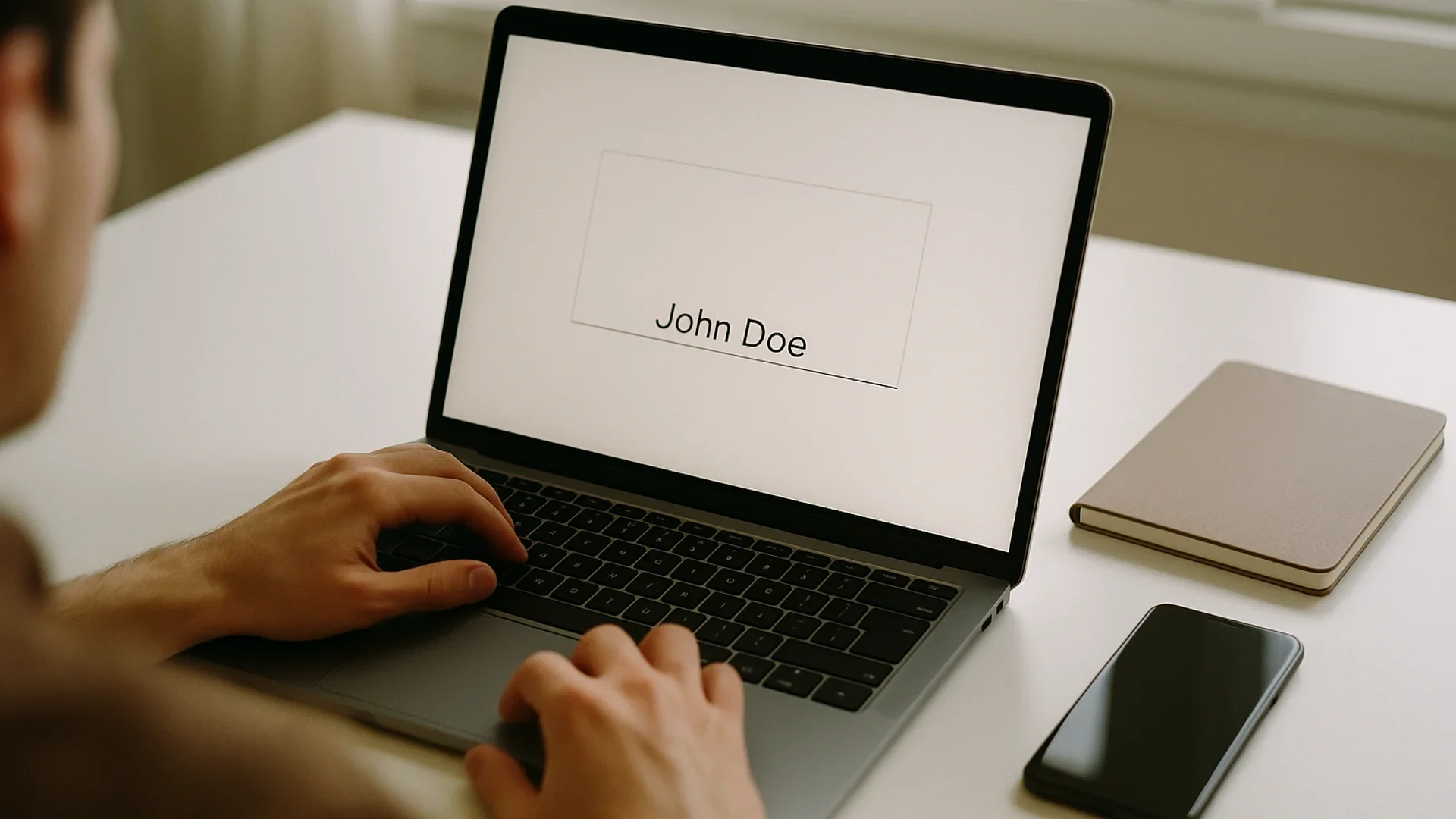
Ink on paper and a typed name answer to the same test: who signed, and did they mean it.
Is a pasted signature image legally binding?
It can be. It's just a poor plan for anything you might have to defend. A scanned or generated PNG is an electronic symbol, so nothing in ESIGN or UETA rules it out, and the Law Commission of England and Wales took the same view in its 2019 report: a scanned handwritten signature or a typed name will generally do as a signature.
That report puts the problem in one line. A typed name "is extremely simple to forge", and anyone with access to a scanned signature can put it on any document (Law Com No 386, para 2.34). A pasted image says nothing about who inserted it, on which version of the file, or when.
That's why the picture is the least interesting part of a signature. You can make a clean one with a signature generator in under a minute, and it's fine for an email footer, a letterhead or a form you'll print and post. It gets risky in three places:
- a contract you send as an editable Word file with your PNG already in it
- a PDF someone else assembles and "signs for you" with an image you once sent them
- any document where the other side might later claim the terms changed after you signed
Adobe's Fill & Sign shows how ordinary this has become: you type or draw a signature, or add an image, and place it on the PDF yourself. Handy. But it's you vouching for you.
A signature PNG can't be revoked
Once your signature image sits in someone else's inbox, you can't take it back or switch it off. A password can be changed; a picture of your handwriting can't. If you've emailed it to a supplier, an assistant or a shared drive, assume it can turn up on a document you never saw. Keep the file private, and sign anything that matters through a service that logs the act rather than just the image.
When a typed signature is not legally binding
Three situations defeat a typed signature however carefully it was captured.
1. The law wants something ESIGN doesn't cover. Section 7003 lists the exceptions (15 U.S.C. § 7003):
- wills, codicils and testamentary trusts
- adoption, divorce and other family-law matters
- most of the Uniform Commercial Code, except sections 1-107 and 1-206 and Articles 2 and 2A
- court orders, notices and official court documents
- notices cutting off utilities, or of default, foreclosure or eviction on a primary residence
- notices cancelling health or life insurance
- product recall notices where health or safety is at risk
- documents that must travel with hazardous materials
2. A consumer never agreed to go electronic. Where a law says a consumer must get information in writing, section 7001(c) lets the electronic version count only after the consumer consents, having first been told they can ask for paper.
3. Nobody can reproduce the signed version. Section 7001(e) lets a court deny effect to an electronic contract that isn't "capable of being retained and accurately reproduced" by everyone entitled to it. In practice, a signed file that lives only in one party's account is exposed.
There's a fourth, and it's contractual. If your own agreement says amendments need a handwritten signature, a typed one may not satisfy it.
Make the typed signature the easy part
Chaindoc sends the document, checks each signer's email and keeps the record of who signed which version and when. The free plan covers 5 signatures a month, no card needed.
Compare plansIs Adobe Sign legally binding when you type your name?
Yes, on the same terms as any other e-signature. Acrobat Sign lets a recipient type their name in one of four fonts, draw it, or upload an image, and Adobe's own help page says how a signature is applied matters less than the signer's intent, which its audit log records. That's the ESIGN logic in a vendor's words. For DocuSign, our piece on whether DocuSign signatures hold up walks through its records. Fill & Sign in Acrobat is a different tool: you place your own signature, so the proof depends on how the file travels afterwards.
What makes a typed signature legally binding in a dispute
Picture yourself a year from now, having to prove the signature to someone who doubts it. A name on the page won't help much. The records around it will, and an e-signature audit trail is where most of them live.
This table lists what's worth keeping and who normally holds it. A $500 freelance job doesn't need every row. A lease, a loan or anything you'd hate to lose in small-claims court needs most of them.
Records that make a typed signature legally binding when challenged
| Evidence | What it shows | Who usually holds it |
|---|---|---|
Delivery to the signer's own email address | The request reached the person behind the name | The signing service and the email provider |
An authentication step (a one-time code or a login) | Whoever signed controlled that inbox or account at that moment | The signing service |
An "I agree to sign electronically" step | Consent to deal electronically, the piece missing in J.B.B. v. Fair | The signing service |
Timestamps for opening, signing and completion | The order of events and when the deal closed | The signing service |
A hash of the document version that was sent | The terms weren't changed after the request went out | The signing service; Chaindoc also writes it to a blockchain |
A final copy every party can download | ESIGN's retention rule in section 7001(e) is met | Each party |
A 30-second test before you rely on a typed signature
Could you show that this person, and nobody else, typed it? Could you show they meant it as a signature on this exact version? Could every party pull up the same final file a year from now? If all three answers are yes, a typed signature is about as safe as ink for an ordinary contract. A single no means you're relying on the other side's honesty.
Typed signatures under eIDAS and English law
Outside the US the answer has the same shape, with one extra layer in the EU.
Under eIDAS a typed signature or a pasted image is a simple electronic signature. Article 25 says it can't be refused as evidence for being electronic, but only a qualified electronic signature gets the legal effect of a handwritten one. Article 26 sets the middle tier, the advanced signature, which has to be uniquely linked to the signer and make any later change to the data detectable. A PNG meets neither test. eIDAS also leaves national rules on form alone, so where a member state demands ink or a qualified signature, a typed signature won't do. Our guide to the EU's top signature tier explains when you need it.
English law is the most relaxed of the three systems here. The Law Commission's 2019 statement says an electronic signature can execute a document, deeds included, if the signer intends to authenticate it and any formalities such as witnessing are met. Courts there have accepted a name typed at the bottom of an email.
Typed and pasted signatures by jurisdiction
| Where | Main rule | Typed or pasted signature | When you need more |
|---|---|---|---|
United States | ESIGN Act; UETA in the states | Valid if adopted with intent to sign | Section 7003 exceptions; consumer notices without consent |
New York | Electronic Signatures and Records Act | Same force as a handwritten signature, /s/ included | Where another statute insists on a signature by hand |
European Union | eIDAS Regulation 910/2014 | A simple electronic signature: admissible, no presumption | National form rules; a qualified signature where writing is required |
England and Wales | Common law; Law Commission statement of 2019 | Valid if meant to authenticate | Deeds still need a witness who is physically present |
Is a typed signature legally binding in Chaindoc? How the record is kept
It is, for the same reason as anywhere else: the name has records behind it. When you send a document for signature in Chaindoc, each signer gets the request at their own email address and verifies that address before signing. The signature itself can be the one you drew or typed in the generator.
Behind that, the server hashes the file when you upload it. When you send it out, that version's hash is written to a blockchain, and each signer's proof is recorded when signing completes. The certificate of completion lists the document hash, the signers, the timestamps and the blockchain transaction ID, and each signing event is logged with its IP address and time.
None of that turns a typed signature into a qualified electronic signature, and Chaindoc doesn't claim it does. What it gives you is the answer to the two questions from the J.B.B. case, who typed the name and whether they meant it, written down at the moment it happened.
So, is a typed signature legally binding? For most contracts, yes. Make sure the record says so too.
Sources checked for this guide
We read each page on 14 October 2026.
- 1.15 U.S.C. § 7006: Definitions · Legal Information Institute, Cornell Law SchoolDefines an electronic signature as a sound, symbol or process adopted with the intent to sign.
- 2.15 U.S.C. § 7001: General rule of validity · Legal Information Institute, Cornell Law SchoolSubsection (a) on electronic form, (c) on consumer consent, (e) on retention and accurate reproduction.
- 3.15 U.S.C. § 7003: Specific exceptions · Legal Information Institute, Cornell Law SchoolThe list of documents ESIGN doesn't cover, from wills to hazardous-materials paperwork.
- 4.Uniform Electronic Transactions Act (1999) · Uniform Law CommissionSection 7 on legal recognition and section 9 on attributing a signature to the act of a person.
- 5.J.B.B. Investment Partners, Ltd. v. Fair, No. A140232 (Dec. 5, 2014) · California Court of Appeal, First Appellate DistrictA name at the end of an email was attributable to its sender but not shown to be a signature.
- 6.Electronic Signatures and Records Act (ESRA) guideline NYS-G04-001 · New York State Office of Information Technology ServicesIntent to sign under New York law, the /s/ signature, and digitized signature images.
- 7.Regulation (EU) No 910/2014 (eIDAS) · EUR-Lex, Publications Office of the European UnionArticle 3(10) defines an electronic signature, Article 25 sets its legal effect, Article 26 the advanced tier.
- 8.Electronic execution of documents (Law Com No 386) · Law Commission of England and Wales, 2019Statement of the law on electronic signatures; paragraph 2.34 on typed names and scanned signatures.
- 9.Configure how you will allow recipients to sign and initial agreements · Adobe Acrobat Sign HelpTyped, drawn and image signatures, and why Adobe ties enforceability to intent and the audit log.
- 10.Fill and sign documents in Acrobat on the web · Adobe Acrobat HelpHow Fill & Sign places a typed, drawn or image signature on a PDF.
Frequently Asked Questions
Answers to popular questions about Chaindoc and secure document workflows.
It can. US courts have accepted typed names on emails and in online agreements when the evidence showed who typed them and that they meant to sign. The weak spot is intent: in J.B.B. Investment Partners v. Fair, a California appeal court refused to enforce a settlement because the name at the end of an email wasn't shown to be a signature at all. A signing request with an explicit consent step closes that gap, because the record shows the signer chose to sign.
Legally, yes in most cases. ESIGN counts any symbol a person adopts with the intent to sign, and a typed signature is a symbol. What it isn't is self-proving: you need the context, and ideally a log, to show the person behind it meant it.
In the US, section 7003 of the ESIGN Act carves out wills, codicils and testamentary trusts; adoption, divorce and other family-law matters; most of the Uniform Commercial Code outside Articles 2 and 2A; court orders and filings; notices cutting off utilities or of foreclosure and eviction on a primary residence; health and life insurance cancellations; product recalls; and paperwork that travels with hazardous materials. State law can add rules of its own, notarization requirements among them, so check the statute for the document in front of you.
It can be, if the person placed it, or authorized it, with the intent to sign. US law and the Law Commission of England and Wales both accept a scan in principle. The trouble is proof: a scan is a copyable picture, so it shows nothing about who inserted it or whether the document changed afterwards.
Yes. In US law a certificate-based digital signature is one kind of electronic signature, so ESIGN and UETA cover it like any other. Its advantage is evidence: the cryptographic seal shows whether the file changed after signing and which certificate signed it. In the EU, a digital signature made with a qualified certificate on a qualified device is a qualified electronic signature, the only kind eIDAS treats as equal to handwriting.
More e-signature and blockchain guides
Practical guides on electronic signatures, blockchain audit trails, and secure document management — handpicked to build on what you just read.